Wasabi
Overview
Wasabi is an S3-compatible backup provider. Configuration as the backup destination is similar to AWS S3.
How to use vPlus with Wasabi.
1. Make sure you have the necessary data to enter in vPlus.
2. We will require you to provide:
- Service URLs
- Bucket name
- Region
3. If you do not have this information, you will need to:
- Log in to Wasabi console.
- Create a new bucket.
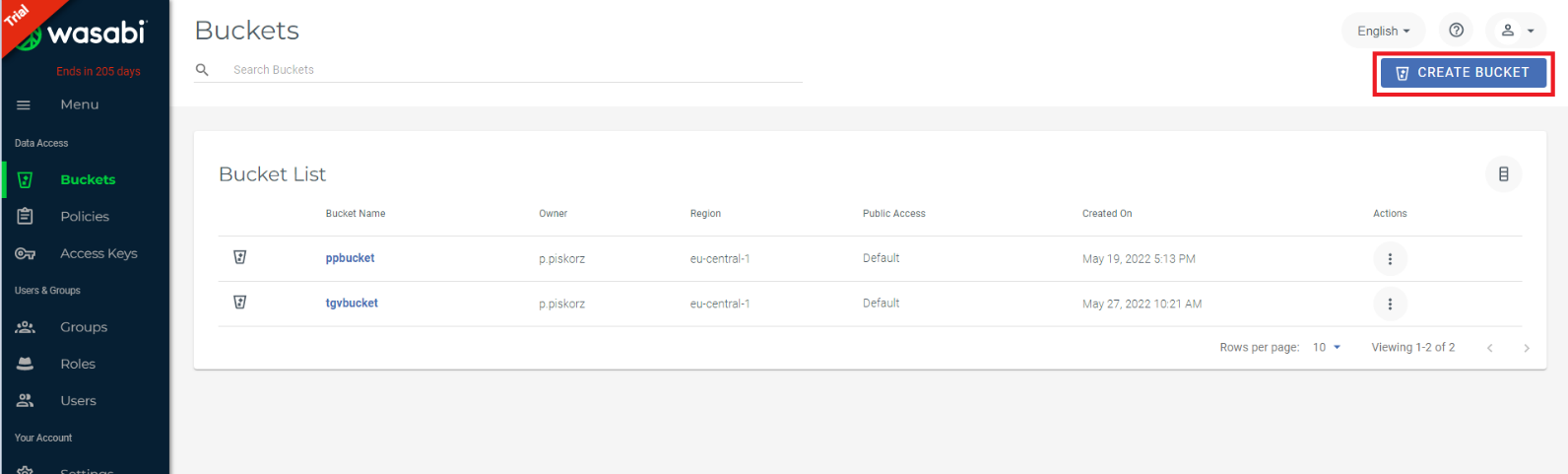
- Enter your bucket name.
- Select a region.
- On the second tab, you can choose versioning within the bucket, login, and protect your bucket with object locking (a function used to protect against ransom attacks)
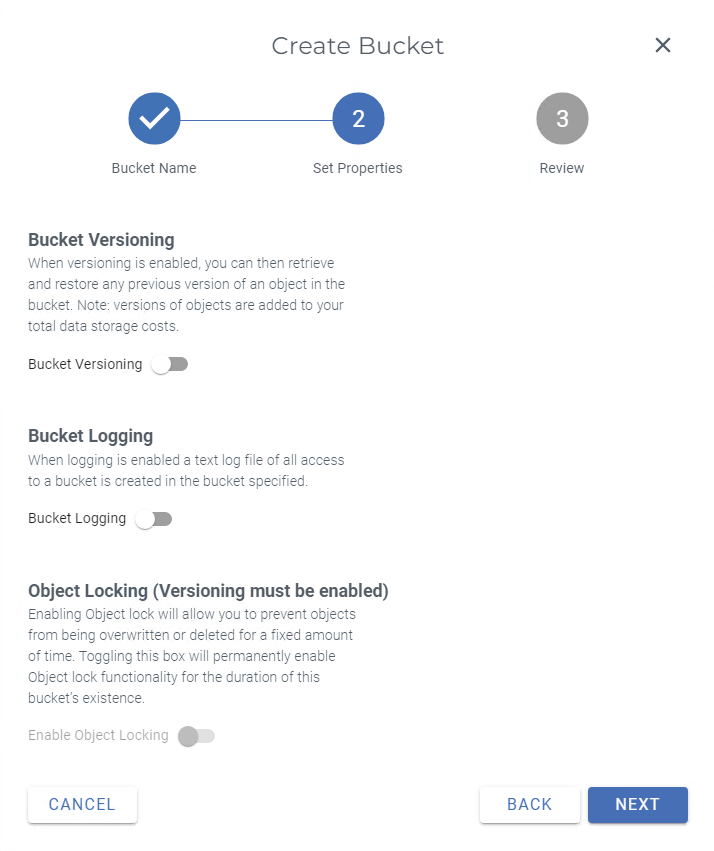
- Save your configuration.
- Then you need to generate an Access Key and a Secret key.
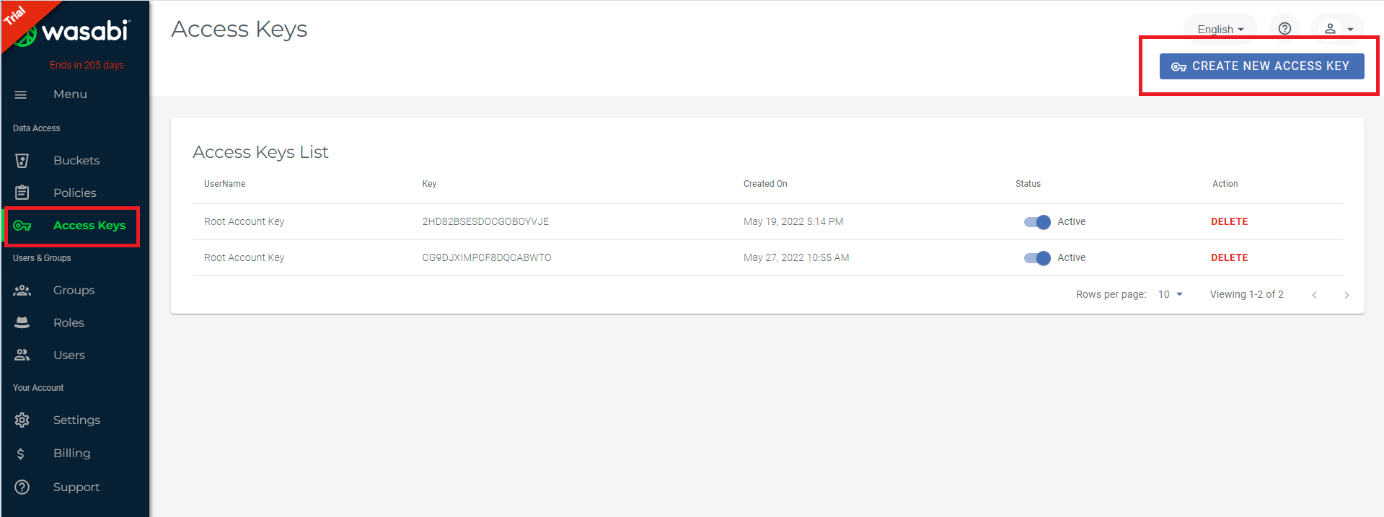
- For the service URL, see Wasabi support.
4. Log in to vPlus WebUI.
5. Go into Backup destination -> Object Storage -> Create Backup Destination - Amazon S3 / S3-compatible.
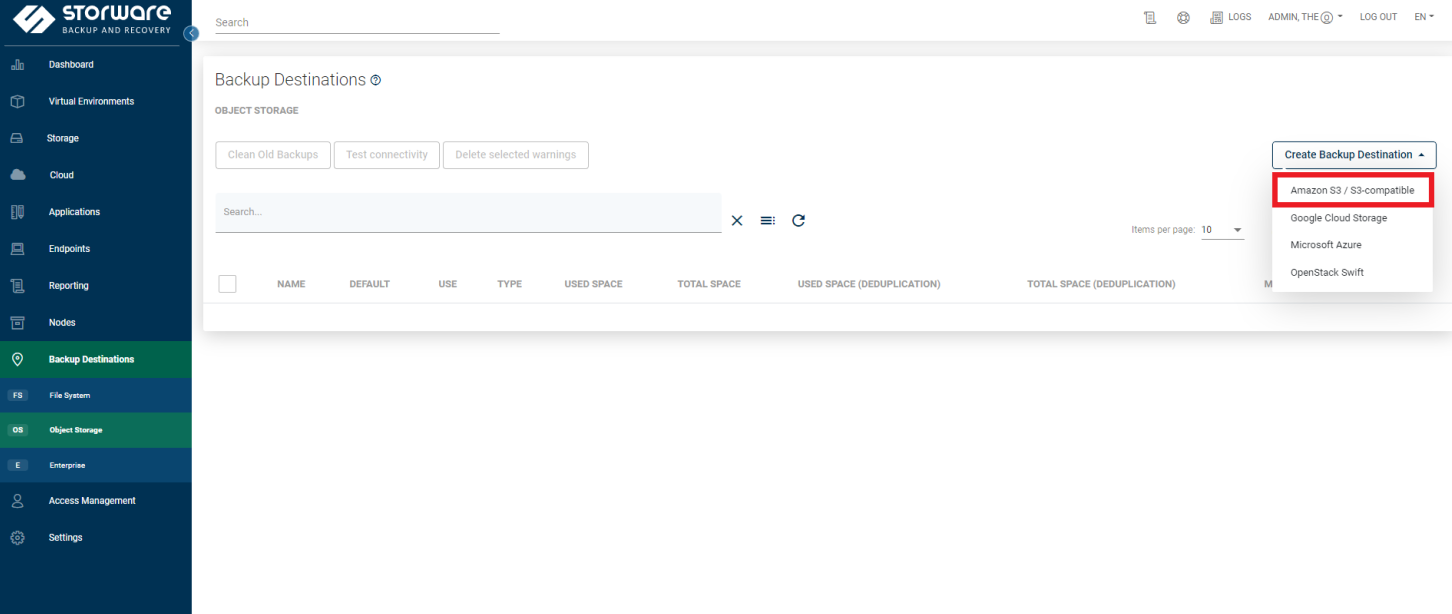
6. Name Your Backup destination.
7. Select a proper node-configuration.
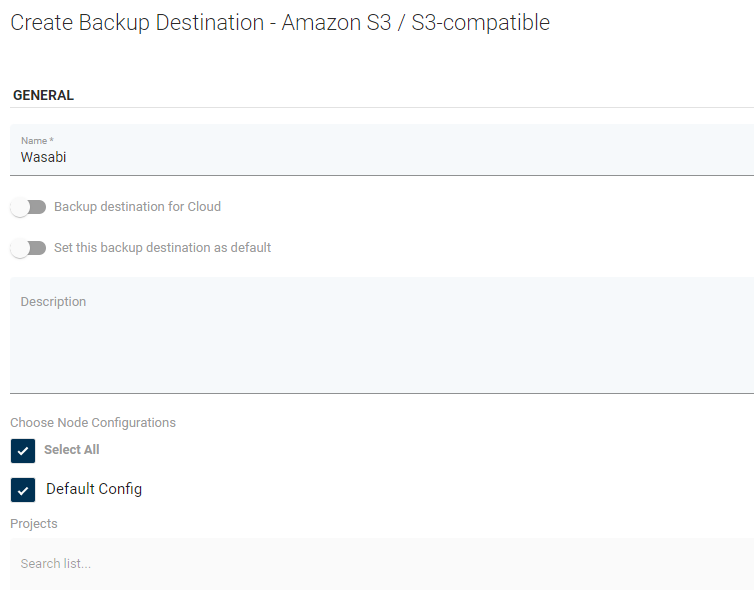
8. In AMAZON S3 / S3-COMPATIBLE SETTINGS provide information about your bucket.
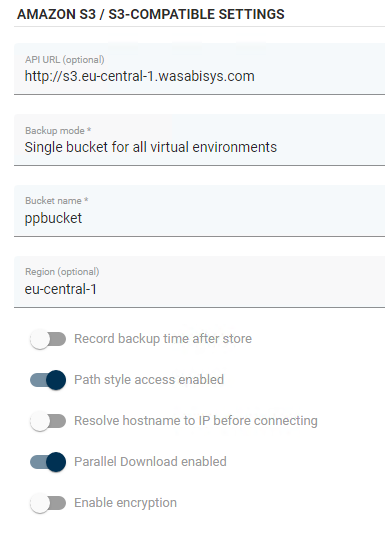
9. Make sure options Path style access enabled and Parallel Download enabled are enabled.
10. Provide Access key and Secret key.
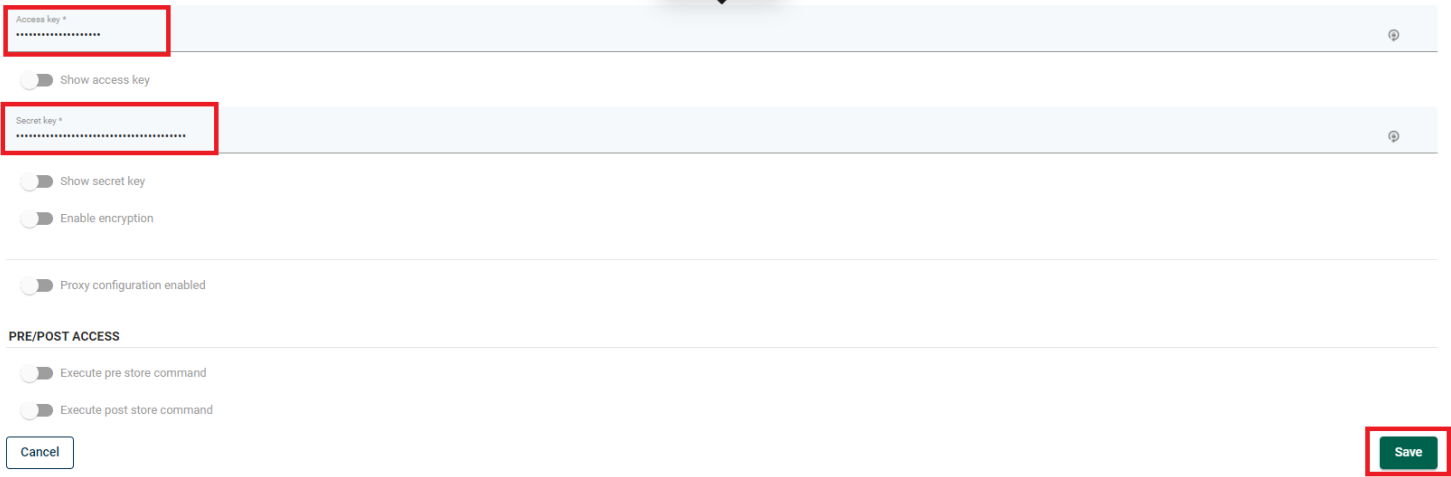
11. Save a configuration.